
Routespring operations guides
Airline crew travel automation: from roster to reconciled stay
Connect roster changes to crew hotels, payments and reconciliation. Learn how Routespring helps airline teams coordinate travel and resolve exceptions.
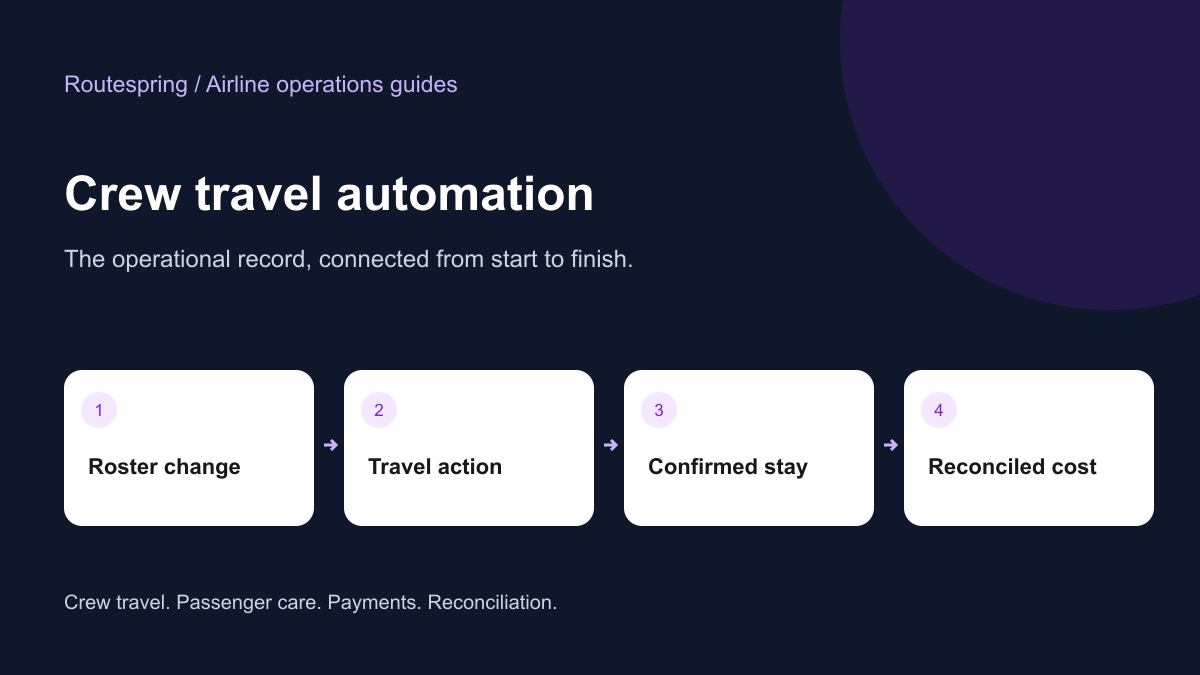
- 1Roster change
- 2Travel action
- 3Confirmed stay
- 4Reconciled cost
Airline crew travel automation turns roster requirements and schedule changes into coordinated hotel, positioning-flight, payment and reconciliation work. It helps crew services and operations teams keep arrangements aligned with the flight plan while focusing staff attention on exceptions.
Routespring is an AI-powered travel operations platform connecting airline crew and corporate travel, passenger disruption management, payments and reconciliation. For a crew desk, that means following a requirement from the schedule to a confirmed stay and the financial record behind it.
The operational benefit is continuity: crew services can see which arrangements are ready, operations control center (OCC) can follow the travel impact of changes, and finance can understand the cost without reconstructing the stay from disconnected messages.
Start with the decision the airline owns
Crew scheduling and operations control establish the operational plan. Routespring connects that plan to the supporting journey, bringing the hotel, positioning flight, payment arrangements and service history into the crew travel workflow. Clear ownership helps each team act quickly when the plan changes.
For each request, identify the authoritative schedule, the person or team allowed to change it, the relevant policy and the latest time by which an arrangement must be confirmed. Define how the travel desk learns about a new revision. Without this agreement, automation can process an obsolete requirement efficiently and still produce the wrong outcome.
Turn schedule changes into traceable actions
A roster feed needs stable identifiers. Useful fields include crew identity, pairing or duty reference, station, arrival and departure times, time zone, accommodation window and revision information. The exact data contract depends on the airline and the integration.
The system should compare the latest accepted requirement with the bookings already in place. Some changes require a new reservation. Others require an amendment, cancellation or no action. Repeated delivery of the same event should not create duplicate bookings.
Routespring connects schedule information to traceable travel actions. The operations team can follow the requirement through processing, booking and confirmation, then focus attention on the work that needs intervention. The Crew Travel API documentation gives integration teams a practical path for connecting those records.
Apply the hotel policy before committing the room
Crew hotel selection involves more than the nightly rate. The desk needs to consider the required stay window, property suitability, transfer arrangements, availability, cancellation terms, contracted inclusions and approval rules. A lower room price can be outweighed by an expensive transfer or an unusable check-in time.
Suppose a hypothetical crew arrives at 07:30 and needs access to rooms before the property’s standard check-in. A reservation for that calendar date may not provide access at the required time. The workflow should retain the early-arrival requirement and confirmation from the supplier, or route the issue to a person before the crew travels.
The same principle applies to late checkout, breakfast, parking and shuttle arrangements. Store the agreed terms with the booking so operations can verify readiness and finance can later check the bill.
Give failed and uncertain actions an owner
Common exceptions include unavailable contracted rooms, missing crew details, conflicting schedule revisions, rejected payment arrangements and supplier confirmation delays. Each needs a reason, an owner, a next action and an escalation time.
A useful queue explains what was attempted and what evidence is missing. “Booking failed” is less actionable than “The preferred hotel has no room for the revised arrival window; approval is needed for the backup property.” Keep the request linked to the schedule and record the eventual decision.
Retries need controls too. An unanswered booking response can mean failure, delay or a booking that succeeded without a returned confirmation. Check the existing transaction before repeating a chargeable action.
Verify the arrangement before crew arrival
Booking readiness brings several checks together: the reservation exists, the property has the right arrival details, covered charges and payment instructions are understood, and transport requirements have an accountable owner.
The crew-facing update should identify the confirmed hotel, relevant access instructions, pickup details where arranged and the support route for unresolved issues. A prepared message and a delivered message are different events. The configured communication service must provide an appropriate delivery or failure record.
Routespring’s FLY4 Airlines case study shows why pre-arrival verification matters: payment authorization, reservation confirmation and check-in requirements all contribute to a workable crew stay. The same connected record helps the desk resolve an issue before it reaches the crew.
Keep operational changes connected to finance
The booking record should retain the approved rate, covered services, amendment history, cancellation terms, payment reference and supplier confirmation. After the stay, finance needs the folio or invoice, the actual charge and any credit or dispute.
A cancelled room can produce several financial outcomes: no charge, an agreed cancellation fee, an incorrect full-stay charge or a later credit. Closing the operational task does not establish which financial outcome occurred. Reconciliation should follow the evidence through settlement.
Routespring connects crew travel, payments and reconciliation so the operational story stays attached to the financial record. Booking references, supplier confirmations, agreed terms and change history give finance the context to review the charge and resolve discrepancies.
Measure the full workflow
Track confirmation time from a defined trigger, changes requiring intervention, supplier response delays, pre-arrival issues, duplicate bookings and financial exceptions. State the denominator and reporting window for each measure. Separate system processing time from the time spent waiting for an airline decision or supplier response.
For cost, distinguish approved spend, charged spend, invoiced spend and settled spend. Assess savings against a stated comparable baseline. An identified overcharge becomes recovered value only when the correction or credit is confirmed.
Questions to ask before a pilot
Which schedule feed is authoritative? Which routine decisions may the system make? Which changes require approval? What happens when no hotel is available? How are repeated events handled? Who owns unresolved payment issues? What evidence will demonstrate completion to operations and finance?
Run representative normal and disrupted cases before expanding scope. Include changed arrival times, duplicate submissions, failed responses and cancellations after cutoff. The pilot should demonstrate the exception path as clearly as the successful booking path.
Where Routespring fits
Routespring brings crew travel, hotel coordination, operational exceptions, payments and reconciliation together. Crew Services can follow lodging readiness, OCC can see the travel impact of changes, procurement can review supplier performance and finance can investigate costs with the booking evidence in view.
Frequently asked questions
What does airline crew travel automation include?
It connects crew schedule requirements to accommodation, positioning travel, booking changes, supplier confirmation, payment arrangements and reconciliation. Routespring brings these records into a connected operating workflow for crew services, OCC and finance.
How does Routespring work with crew scheduling?
Crew scheduling provides the airline’s operational plan. Routespring uses schedule information to organize the supporting travel actions and track their outcomes, keeping the latest requirement connected to the booking history.
Can an airline keep its contracted crew hotels?
Contracted hotels and their agreed rates, inclusions and cancellation terms are important inputs to the crew travel workflow. Routespring’s hotel sourcing and contract capabilities connect those terms with booking and financial review.
How does the desk handle a last-minute schedule change?
Review the revised requirement against existing bookings, identify the accommodation or positioning work, then follow the change through supplier confirmation and crew instructions. Routespring keeps the booking context and unresolved actions available to the responsible teams.
How does crew travel connect to finance?
The booking, agreed terms, payment references and amendment history provide the evidence for reviewing the folio or invoice. Routespring connects this operational record with payments and reconciliation so finance can explain the charge and resolve differences.